
Certify your skills and unlock new opportunities in the exciting world of sports production. The Viz Libero Operator Exam is a comprehensive assessment designed for professionals & coaches, freelancers and students, or in-house operators seeking to validate their expertise in utilizing Viz Libero. Viz Libero is the most comprehensive software for generating sports analysis and is used by the world’s top live sports broadcasters. Preparing for this exam involves engaging with Viz University's online courses, which provide in-depth training materials and tutorials guided by Vizrt experts. Upon successful completion, Viz Libero Certified Operators will receive a certificate recognizing their skill and knowledge in operating Viz Libero. The Certification is valid for 2 years. Prerequisites - Prior to signing up for this exam, it is highly recommended that you have successfully completed the following Viz University courses: • Viz Libero Operation course • Viz Libero Advanced Operation course Practicalities - There are two parts to this Exam. Part one is a timed online exam consisting of 10 multiple choice questions, which needs a passing grade of 70% in order to gain access to part two. Part two consists of 5 assignments for submission. Each assignment includes a final output video as a reference for what the learner needs to recreate. During the creation of each assignment, the learner must record their screen as they will be graded on both their methods and work efficiency. Once all assignments are completed, the recordings must be submitted for assessment by an examiner. You will be notified of your pass/fail status within 2 weeks of submission. In the event of not passing, feedback will be provided and one opportunity for resubmission will be given. Requirements - You are required to record your screen in high enough quality that the evaluator can easily see in detail how you are working with Viz Libero. Tips on methods of recording your screen will be given later in this Certification. If you do not have access to your own demo system, Viz Libero Free is now available and can be used for this Certification. Viz Libero Free is the watermarked version of Vizrt’s sports analysis tool Viz Libero. Specially created for the freelance operator community, or anyone who wants to practice and learn how to create or boost their skills in creating sports analysis. Get Viz Libero Free Here Read more
Difficulty
Content
Price


This course provides an introduction to the workflow for creating and managing presets in Viz Multiplay 3.0. It addresses the development of scenes for video walls, including options for transitions and advanced animations within Viz Artist. Participants will learn how to create shows, activate profiles, and design video wall scenes that incorporate multiple channels and resolutions. The course provides instructions on creating and editing presets, importing them into shows, and managing content within super channels. It covers steps for configuring video wall resolutions, understanding aspect ratios, and setting up super channels for effective operation. Users are instructed on adding and animating graphic elements, modifying preset transitions, and maintaining consistent content transitions within super channels. This course is for technical professionals—like video wall designers and broadcast engineers—involved in managing video wall content. It's best suited for those with basic knowledge of Viz Multiplay and Viz Artist who want to advance their skills in creating dynamic video wall presentations. Read more
Rating
Difficulty
Content
Price
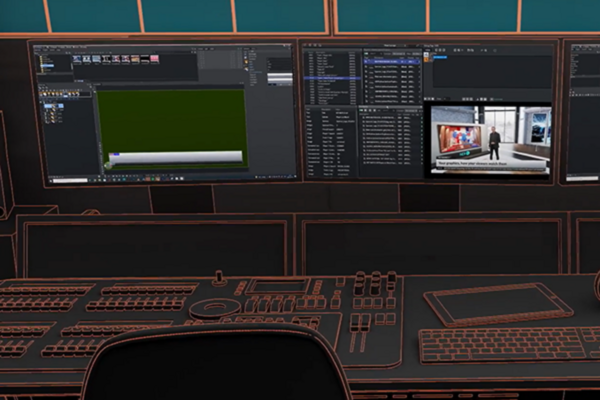
Discover the power of using Viz Trio; get an introduction to Viz Trio’s core functions and system architecture in addition to the general operational workflow of a Viz Trio system. Learn how to work with shows and playlists, how to edit templates and create pages, implement concepts and variants, create scrollers, work with maps, transition logic and standalone scenes, video and imagery, and more. Read more
Rating
Difficulty
Content
Price

Become a Certified Viz Trio Operator! The Viz Trio Operation Exam was developed to meet broadcasters' requirements for highly skilled character generator (CG) operators. Hence, this exam will test your competency in the software's core functions, including editing shows, creating playlists and scrollers, and using templates for creating data elements. A result with a passing grade of 80% or higher will confirm that you can operate Viz Trio. This also demonstrates an understanding of the Viz Trio operator’s role in relation to other integrated systems used for content creation, output and graphic design. The test will be 50 questions randomly chosen from a pool of multiple-choice questions. You have 3 attempts to pass. There is a 90-minute time limit to complete this exam. The exam does have to be completed in one session. If you leave the exam, it will be closed and you will need to restart a new exam. When you enroll, you will have 30 days to complete this exam. Prerequisites: To pass this exam you should have a high level of understanding of how to operate Viz Trio. Related Courses: Viz Trio Operation, Datacenter Setup and Administration Read more
Difficulty
Content
Price
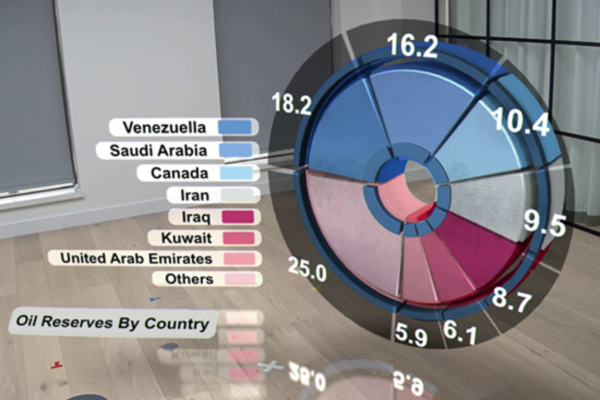
The Viz Virtual Studio Go Operation course provides detailed information on the operational procedures of the Viz Virtual Studio Go solution. The course describes the use of the solution in a Town Hall presentation scenario. Topics covered include system setup, camera control, augmented reality elements, virtual studio, chroma key, playlist management, and controls for managing augmented reality and virtual studio graphics. Prior to starting this course, users should complete the system unboxing and verify that the system is operational. The course covers basic information on NDI, which serves as both input and output for the Virtual Studio Go solution. It also includes lessons on configuring camera parameters, adjusting global settings, and operating the Viz Arc control application to facilitate effective system management. This course is intended for participants working in corporate town halls, higher education institutions, broadcast AV and visual radio, and small studios within creative agencies. It provides information on using augmented reality elements, virtual studio and advanced camera controls to support digital presentations and customer engagement. AI Transparency Notice: Parts of this training include AI-generated narration to aid clarity. The content has been manually reviewed and approved prior to publication. Read more
Rating
Difficulty
Content
Price

This course covers the procedures for unboxing and preparing the Viz Virtual Studio Go systems. It outlines steps including unboxing the NDI camera and workstation, describing the electrical and network connections between components, powering on and starting up the equipment, and configuring the essential parameters of the NDI camera. After system verification, the course provides operational tests to confirm proper functionality of the solution. This course does not function as an introduction or operational training for the Viz Virtual Studio Go solution. The Viz Virtual Studio Go Essentials and Viz Virtual Studio Go operational courses cover those topics. This course provides an introduction to the Viz Virtual Studio Go solution for users who are unfamiliar with the system and require guidance on the initial setup process. It covers information relevant to technical personnel involved in installing and configuring the system. By the conclusion of this course, participants will understand how to unbox, connect, and power on the equipment, and conduct basic operational tests to verify correct functioning. AI Transparency Notice: Parts of this training include AI-generated narration to aid clarity. The content has been manually reviewed and approved prior to publication. Read more
Rating
Difficulty
Content
Price
Shopping Cart
Your cart is empty